

Warehouse floor with racking and outbound staging

Warehouse Management System

From inbound dock to last-mile dispatch

Receive vendor shipments, put stock into bins, see it in every location, count with confidence, then wave, pick, pack, and ship — by parcel or van sale — in one WMS.

End-to-end warehouse operations

One floor, one system

MercExe WMS follows goods as they arrive, sit, move, and leave. Each step below is live in the product — not a future module.

  1. 01Inbound
  2. 02Receiving
  3. 03Putaway
  4. 04Visibility
  5. 05Locations
  6. 06Counts
  7. 07Waves
  8. 08Pick & Pack
  9. 09Shipping

Inbound

Inbound shipments

Track every vendor delivery against a purchase order. A PO can arrive in parts — each delivery becomes its own inbound shipment with status, received date, and a clear trail into receiving and billing.

  • Browse, filter, and open inbound shipments from Purchase
  • Multiple shipments per purchase order for partial arrivals
  • Link receiving, close shipment, and create the vendor bill
Inbound shipment tracking against purchase orders

Goods in

Receiving

Receiving is a guided scan-and-confirm workflow. Operators enter quantity, unit of measure, and batch details against the inbound shipment. Quality checks and a staged close finish the receipt before remaining stock is slotted on the floor.

  • Barcode-driven receive with quantity, UOM, and batch capture
  • Quality checks and staged close of the inbound shipment
  • Received quantity that is not yet in a bin is ready for putaway
Receiving goods against an inbound shipment

Slot to bin

Putaway

After receive, remaining quantity is still unlocated until putaway. Operators walk remaining lines, scan the item and the bin when your facility requires it, and place stock into aisle, bay, level, and position. Partial putaway keeps the shipment in Putaway In Progress until every line is in a bin.

  • Put remaining quantity by line, including case or pack UOM
  • Optional item scan and location scan from transaction settings
  • Shipment status: putaway in progress, then putaway completed
Putaway remaining stock into warehouse bins

Stock control

See it, locate it, count it

Inventory is not a single number. MercExe shows on-hand vs allocated, which bin holds it, and the count that proved it.

Real-time inventory visibility by SKU and facility

Inventory visibility

Live stock levels by facility, SKU, and batch. See quantity on hand, allocated quantity, and the movement history that explains every change.

  • Facility stock list with search, filters, and detail panel
  • Adjustments with reason codes and full transaction audit
  • Offline replica with sync when the warehouse reconnects

Warehouse locations by aisle, bay, level, and position

Warehouse locations

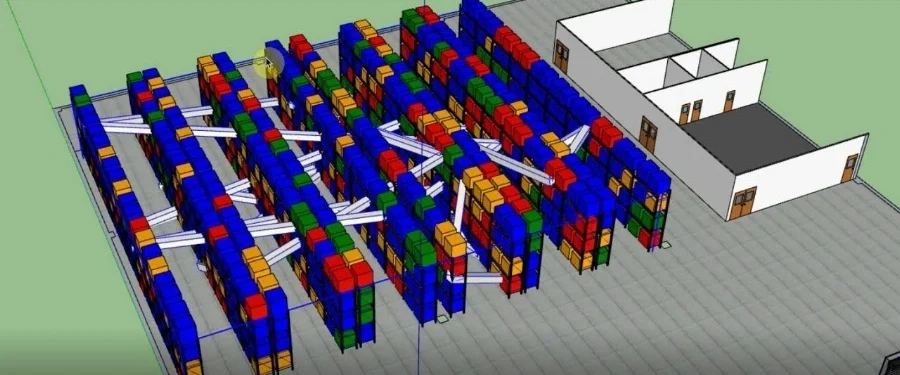
Model the floor as zones, aisles, bays, levels, and positions. Each bin has occupancy, pick sequence, and status so pickers walk a planned path.

  • Bulk-generate locations across aisle and bay ranges
  • Move stock between bins without losing lot identity
  • Pick tasks point at the allocated bin, including expected putaway
Inventory count with variance review

Inventory count

Cycle counts by velocity, aging, value, negative, or low stock. Submit, review variance, and post adjustments. Van trips also run blind start and end counts.

  • Draft, ready, in progress, submitted, and recount
  • Variance review before stock is posted
  • Van-load start and end counts tied to the trip

Outbound planning

Waves

Group confirmed orders into a wave, check inventory, then release pick work. Templates store filters, pack types, max orders, and shortage rules. Auto-wave can run a template on a schedule.

  • Individual pick and pack, or bulk pick with cart or tote
  • Shortage policy: cancel the short line, allocate partially, or drop the order
  • Capacity-aware packs so same-customer orders share a carton when they fit
Wave planning that groups orders into pick work

Fulfillment

Pick and pack

Pickers confirm each SKU in warehouse sequence. Short picks release leftover allocation. Completing a pick moves quantity onto the cart or package; packing posts the packed transaction without changing on-hand until ship.

  • Guided pick by pick sequence, location code, then SKU
  • Cart pick, tote pick, and pack-from-cart after bulk waves
  • Outbound packages tracked from created through packed and shipped
Guided pick and pack with barcode scanning

Dispatch

Shipping: parcel and van sale

Packed cartons leave as a parcel for carrier dispatch, or as a van load for route selling. Both stay tied to the same inventory and order records.

Parcel shipping with carrier tracking

Parcel shipping

Group packed containers for the same customer into an outbound shipment. Capture carrier, tracking number, ship date, and charges, then mark the parcel shipped when the load leaves the dock.

  • OB containers for cartons; pick carts and totes stay on the floor
  • Filter parcels by customer, status, tracking, or shipment number
  • Edit until shipped; shipped parcels stay read-only
Van sale with loaded stock and route deliveries

Van sale

Load free stock and packed pre-orders onto a van, confirm to post van inventory, run a blind start count, then sell from van stock on the route. Return leftover and customer returns with an end count.

  • Daily load sheet with route, salesperson, and line items
  • Start trip after the start count; check in at stops
  • POS van sale, accept returns, unload remaining stock to the warehouse

Why MercExe WMS

One record from dock to van

Purchase receipts, bin occupancy, waves, packages, parcels, and van loads share the same inventory — no re-keying between systems.

Works on the floor, online or off

Warehouse staff scan, pick, and count on local data. When the connection returns, the replica syncs with the server.

Shortage and capacity rules you can set

Wave templates decide how to handle short stock, which pack types to use, and whether unlocated receipts can be allocated.

Built for mixed fulfilment

The same warehouse can pack parcels for carriers and load vans for route selling without splitting inventory into two worlds.

See MercExe WMS in your warehouse

Walk through inbound, putaway, counting, waving, and both shipping models with a product specialist.

Request a demo