



Inventory across stores, warehouses, and selling channels

Inventory Management

One stock picture across locations and channels

See on-hand and allocated quantity by facility, channel, batch, and bin. Reorder before you stock out, transfer between sites, count what is on the floor, and keep every movement on the ledger.

Catalog to count

Stock you can trust at every site

Items are the catalog. Inventory rows are physical stock. MercExe keeps both in one product so POS, warehouse, ecommerce, and accounts read the same numbers.

  1. 01Visibility
  2. 02Tracking
  3. 03Reorder
  4. 04Barcodes
  5. 05Reports
  6. 06Transfers
  7. 07Batch & serial
  8. 08Kitting
  9. 09Adjustments
  10. 10Counts

Where it sits

Multi-location and channel visibility

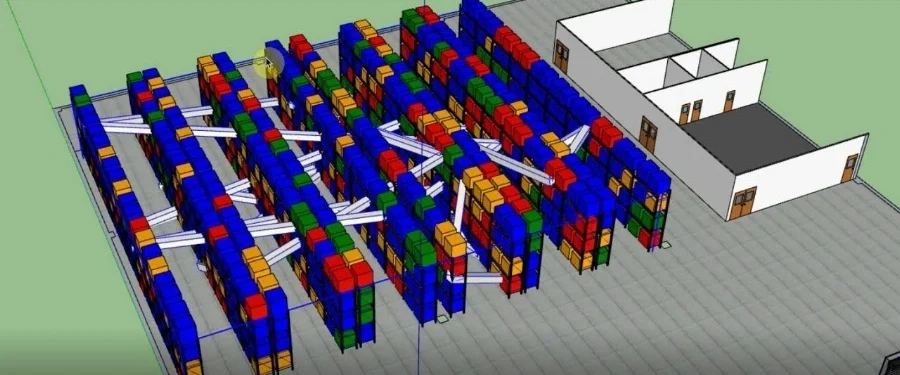
Work the current facility day to day, then open stock on other facilities without leaving the item. Retail, wholesale, and online each have their own discounts and price lists, while quantity on hand stays one number.

  • Facility stock list plus item tree with current-site quantities
  • View on other facilities for a cross-site picture of the same SKU
  • Retail, wholesale, and online channel pricing on the item
  • Dashboard can roll up inventory across all facilities
Stock visible across facilities and selling channels

What moved

Inventory tracking

Every stock line shows quantity on hand, allocated, and accounted. Receipts, issues, transfers, and adjustments write an inventory transaction you can filter by item, type, and reason.

  • On-hand vs allocated so you do not sell what a wave already reserved
  • Transaction history with SKU, quantity change, and reference document
  • Bin occupancy when the facility tracks locations
  • Offline replica on the device, then sync when the store is online
Inventory tracking with on-hand, allocated, and movement history

Keep selling

Reorder, barcodes, and reports

Low stock should be obvious before the counter finds out. Labels and reports use the same SKU the warehouse scans.

Automated reordering from reorder level and quantity

Automated reordering

Set reorder level and reorder quantity on the item. The Items list highlights rows below the level, a Low Stock filter isolates them, and the dashboard surfaces the same alerts.

  • Reorder level and quantity on each item
  • Low-stock filter and warning styling on the catalog
  • Dashboard low-stock widget from the same calculation
Barcode generation and product label printing

Barcode management

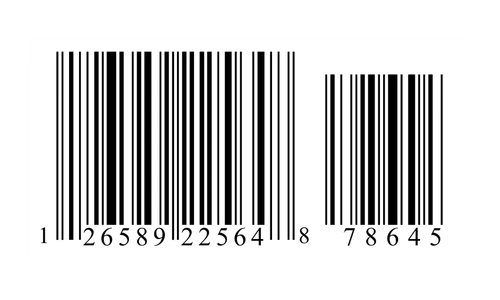
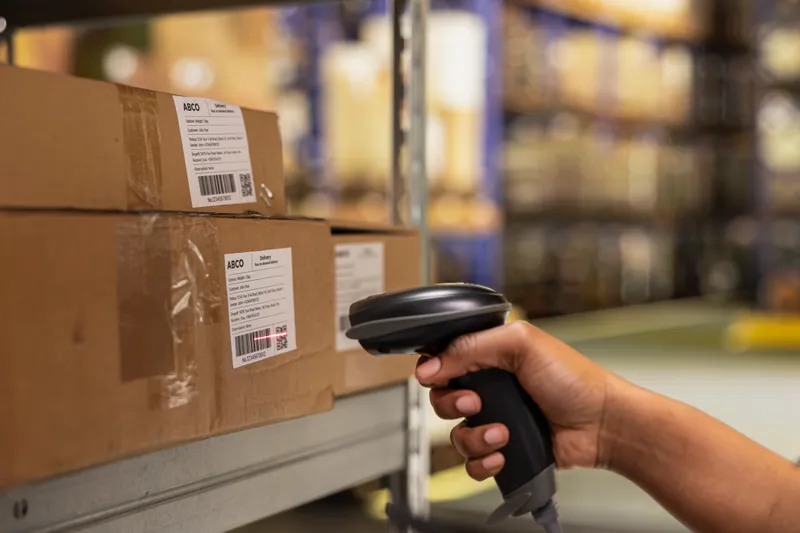
Every item needs a SKU barcode. Generate one in New Item, store EAN, UPC, MPN, or ISBN, and print shelf labels from View Item using the stock-line barcode when it exists.

  • Required SKU barcode with generate on the item form
  • EAN, UPC, MPN, and ISBN on the catalog
  • Print labels with price, packed date, and expiry when configured
Inventory stock and count variance reports

Inventory reports

Run inventory stock and count-variance reports from the Reports menu. Inventory Transactions is the audit list: date, SKU, type, reason, and quantity change for the current facility.

  • Inventory stock report and count variance
  • Transactions filtered by item, type, and reason
  • Low-stock and inventory-ops widgets on the dashboard

Move it

Stock transfers

Move quantity between facilities, between bins in the same warehouse, or onto a van. Transfers post as inventory transactions at source and destination so both sites stay in balance.

  • Facility-to-facility transfer with Transfer and Transfer Return types
  • Bin-to-bin moves when location occupancy is enabled
  • Van load as a warehouse-to-van stock move for route selling
  • History on Inventory Transactions, not a side spreadsheet
Stock transfers between warehouses, stores, bins, and vans

Lot identity

Batch and serial tracking

Mark an item batch-tracked or serial-tracked before stock exists. Each inventory row can carry batch number, manufacturing date, and expiry. FIFO and similar valuation methods require batch tracking so lots stay distinct.

  • Batch and serial flags on the item (locked once stock exists)
  • Batch number, manufacturing date, expiry, and consume-by on the lot
  • Expiry visible on the Items tree next to reorder level
  • Counts and adjustments keep the batch on the line
Batch and serial tracking with expiry dates

How you sell it

Kitting, adjustments, and counting

Sell inner packs and outer boxes from the same SKU, correct the book when the floor disagrees, and count on a schedule — including blind van counts.

Pack and box units converting to base inventory

Kitting and bundling

Define base, pack, and box units of measure so a case sold at POS or on an order deducts the right number of inner units. Channel prices stay on the item; stock stays one quantity.

  • Base UOM plus additional units with conversion
  • Pack and box quantities on the item
  • Retail, wholesale, and online selling prices from the same SKU
Stock adjustments with reason codes

Stock adjustments

Adjust from View Inventory with a reason: damaged, stolen, written off, expired, discontinued, banned from sale, opening-stock correct, or stock-taking. Quantity change posts to the transaction list.

  • Increase or decrease with a required reason
  • Reasons that match how you close a count
  • Audit on Inventory Transactions, not a silent edit
Inventory counting with variance review

Inventory counting

Build a count by velocity, aging, value, negative, or low stock. Submit, review variance, recount, or accept to post a stock-taking adjustment. Van trips run blind start and end counts.

  • Draft through accepted, with recount on variance
  • Blind count on mobile POS; expected qty for supervisors
  • Count-variance report after accept

Why MercExe Inventory

Same stock as POS and WMS

Sales, receiving, waves, and van loads post the inventory transactions you already audit. No second stock file.

Locations without losing the lot

Facility, bin, van, batch, and serial all hang off the same inventory row so a transfer does not invent a new SKU.

Counts that post

Accepting a count writes a stock-taking adjustment with a reason. The books change only when a supervisor says they should.

Works when the aisle is offline

Catalog and stock levels live on the device. Transactions and reports wait for a connection; selling and counting do not have to.

See MercExe Inventory across your sites

Walk through multi-location stock, barcodes, transfers, and counting with a product specialist.

Request a demo