

Sales estimates, orders, invoices, and payments in MercExe

Sales

Quote to cash on the same documents

Customers, estimates, orders, invoices, credit notes, and payments live in one Sale menu. Confirm a B2B invoice and GST e-invoicing adds IRN and QR. Counter checkout stays on POS; pick and pack stays on WMS.

From quote to receipt

Sell, invoice, and collect

MercExe Sales is the customer document chain. Fulfillment on the floor and register sessions at the counter are linked, not copied into a second sales product.

  1. 01Customers
  2. 02Estimates
  3. 03Orders
  4. 04Invoices
  5. 05Returns
  6. 06Credits
  7. 07Payments
  8. 08E-invoicing
  9. 09Generate using AI

Parties

Customers

Business, individual, and walk-in customers with addresses, GSTIN, payment terms, and price list. Import and export when you open a new channel.

  • GSTIN and billing state drive tax on the invoice
  • Payment terms and price list used on estimates, orders, and invoices
  • CSV import and export from the customer list
Customer master for business, individual, and walk-in

Quote

Estimates

Send a customer quote before you commit stock. When they accept, convert the estimate to a sales order or a sales invoice.

  • Print, email, or WhatsApp the estimate PDF
  • Convert a confirmed estimate to an order or invoice
  • Generate using AI can draft an estimate from paper
Customer estimates converted to orders or invoices

Fulfil and bill

Orders, invoices, and returns

A confirmed order is ready to invoice and to fulfil. Desk invoices and POS invoices share the same sales list. Returns can be booked with the sale.

Sales orders with fulfillment status

Sales orders

Confirm the order, print or send it, then create the invoice. Status follows pick, pack, ship, and deliver when the warehouse takes the work.

Sales desk and POS invoices in one list

Invoices

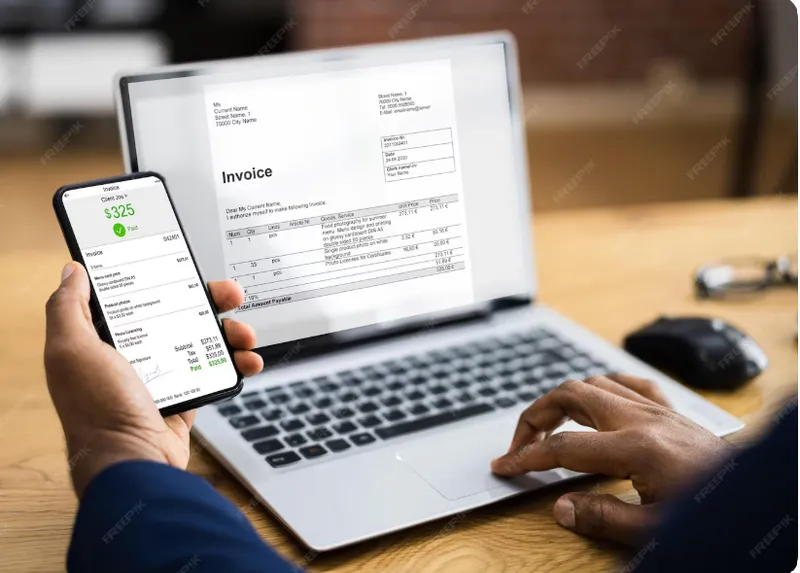
Sales desk invoices and POS invoices appear in the same list. GST lines, payment status, record payment, and GST e-invoicing sit on the invoice.

Invoice and return in one workflow

Invoice and return

Save a sales invoice and a linked credit note in one session, with net payment settlement, when the customer buys and returns in the same visit.

  • Invoice and credit note created together
  • Net amount to collect or refund
  • Same print, email, and WhatsApp as other sales docs

Adjust

Credit notes

Issue a customer credit note for returns or adjustments. Redeem it against open invoices or as an advance on the next customer payment.

  • Same GST structure as the invoice, in reverse
  • Apply credit when you record a receipt
  • Print, email, or WhatsApp the credit note
Customer credit notes applied to invoices

Collect

Customer payments

Record invoice receipts, advances, and allocations across invoices. Apply unused advance or a credit note, capture TDS where it applies, and send the receipt.

  • One receipt allocated to several invoices
  • Redeem credit notes and advances
  • Print, email, or WhatsApp the payment receipt
Customer payments allocated to invoices

India GST

GST e-invoicing

On a confirmed sales invoice for a business customer with GSTIN, generate the e-invoice against the GST portal. IRN and signed QR print on the same PDF you email or WhatsApp.

  • Generate and cancel from the invoice — no re-keying tax lines
  • Edit blocked until the e-invoice is cancelled
  • See GST e-invoicing
GST e-invoice IRN and QR on the customer PDF

Paper in

Generate using AI

Photograph or upload a customer PO, invoice, or credit note. Generate using AI reads the page and drafts a sales order, invoice, estimate, or credit note you review before it posts.

  • Start from Orders, Invoices, Estimates, or Credit Notes
  • PDF, PNG, or JPEG — including POS-style paper receipts
  • See Generate using AI
Generate using AI reading a sales invoice into MercExe

Why MercExe Sales

Quote, order, invoice, receipt

The estimate you send becomes the order or invoice. Payments and credits stay on those documents.

Desk and POS share the invoice

A counter sale is still a MercExe invoice. Registers stay on POS; the document is here.

GST e-invoice on the same PDF

IRN and QR print on the invoice you already email or WhatsApp. No portal re-typing.

Warehouse fulfils the order

Sales confirms demand. WMS waves, picks, packs, and ships — parcel or van — from the same stock.

See quote-to-cash on your customers

Walk through an estimate, order, invoice, e-invoice, and payment with a product specialist.

Request a demo